
A critical thing in most businesses is managing projects and systematizing your business. It does not matter if the project you are managing is your own or a clients.
The key with project management is to set goals and milestones so that you keep focused and on track to success. In fact, failing to set proper project management principles in place, is often a key reason why projects fail.
There are numerous project management tools available – I’ve used a few in my time. From desktop software like Microsoft Project to online software like Basecamp.
Firstly, I will say that I am not a fan of Microsoft Project. Sure you can create a Gantt chart but it is often long, unwieldy and hard to read. Most people I used to share projects with didn’t have it installed on their computer anyway so it meant printing out copies or converting them to PDFs and distributing to the team.
I like to keep things simple and back in the day, I used to use a simple excel spreadsheet and set timelines with that.
Now that I manage a business where we have multiple clients, Excel didn’t cut it anymore. I needed something a bit more robust that allowed me to see multiple projects at a glance.
We were using Basecamp for a while but we recently cancelled our subscription. The key problem with it was that it didn’t have a Customer Relationship Management (CRM) solution so we had to pay an extra subscription for Highrise. This was a major pain as it did not integrate with projects so well.
We then moved on to Podio. We used that for a few months and then played around a little with Team Lab and then Project Bubble.
Here are the pros and cons of some of the tools we have trialled:
Basecamp
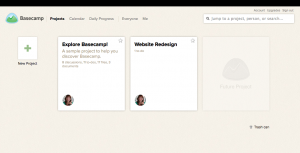
This is the project management software we started using first but we never really used it to its full potential. We had tasks set up in a production assembly, where projects moved from one stage to the next. Unfortunately Basecamp never worked for us. The problem was partially our fault as we tried to copy someone else’s system. The problem was that although they did similar things, they had a different business model to us.
Pros
- Relatively inexpensive
- The $24 month plan enables you to have up to 15 projects with 5 GB file storage
- Ability to upload files
- Can manage access and permissions for different projects
- Can create different projects with different levels of access
- Can set milestones
- Can invite clients to projects so they can see what is happening with their project – you can email to clients and team members within Basecamp
Cons
- Requires you to subscribe to Highrise (at extra cost) to add CRM
- Clients and projects are not linked
- No time tracking facilities
- No ability to integrate with with Google Docs
Note: We cancelled Basecamp before they upgraded. After looking at the upgrade, although it is simple to use, it is still not suitable for our needs. The new upgrade removes the ability to set milestones. Instead you set projects and assign to do lists to projects. The new plan is now $20 a month for 10 projects.
Trello.com
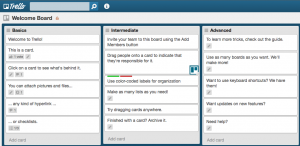
Trello is still in beta phase and being developed. However, we tried this as a process flow checklist system. It was far the simplest to use but some people still found it difficult to get used to. The key feature of this is the ability to add different boards. Essentially you could set up different boards for for different activities and then add job cards (think tasks to each board). It’s really simplistic which is the beauty of using it.
Pros
- Free
- Good for creating checklists
- The most simple to use
- Free’s you up from email overload
- Can set different notifications levels (its aim is to reduce your inbox)
Cons
- Relatively inflexible
- No ability to email
- Can not upload files, you can only add links to files
Podio
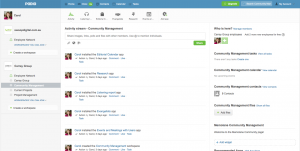
This is a cool interface but it’s not for the faint hearted. It takes a while to get your head around Podio.
Pros
- Free – lets you have up to 5 employees and 5 external users with 1 GB storage and unlimited apps for free
- Very powerful
- Lots of apps that add functionality – from project management apps to CRM apps to marketing apps
- Inbuilt checklists for various web development projects (using apps)
- Can change permissions and set different Workspaces for different team members
- Can upload files and add comments to tasks
- Ability to delegate tasks
Cons
- Projects and Customer relationship management run in separate streams so difficult to link common tasks together
- Complex and very confusing to start with – hard to see projects at a glance –
- Difficult to get an overview of the tasks you have delegated out to your team
- Once you delegate a task to someone, it’s pretty difficult to find where the task went to
- Too many email notifications
Project Bubble
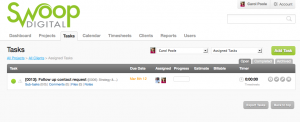
Project Bubble is simple and effective. The real beauty of it is how it links projects and clients together in one activity stream. No more hunting around to work out what to do – client and project related tasks are all in one stream. This is what makes Project Bubble effective for us as a business.
Pros
- Relatively inexpensive – $24 per month for up to 35 projects with up to 5 GB storage
- Ability link clients, tasks and projects and share with your team
- Time tracking
- Ability to provide project reports to clients
- Ability to invoice for your hours and get paid online
- Simple CRM system to help manage your clients and contacts
- Ability to set user permissions
- Can upload files and documents
Cons
- Does not have the wiki feature like Team Lab that enables you put training all in one place
- Does not link to Google Docs
- Be aware there may be 1 client that has multiple projects – you might find you need to upgrade quickly
TeamLab
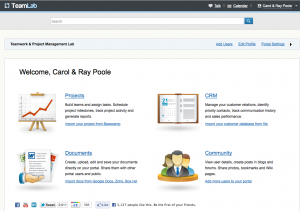
TeamLab has four separate streams: Projects, CRM, Community and Documents. In my mind this would have been the overall winner except for the fact that we wanted an integrated CRM and Project Management Stream. In other words, we start with clients first and then add projects or assign tasks related to the client.
Pros
- Free
- Ability to import data from Basecamp HQ
- Allows you to track time spend on projects
- Integrates with Jabber for chat functionality
- Has CRM features
- Able to add multiple projects and set permissions (like Basecamp)
- Can upload files & Documents
- Can set milestones
- Ability to add blogs and private forums
Cons:
- No email feature yet but this is coming
- CRM system and projects are not linked so hard to get an overview of all client and project related tasks in one place
If you want a simple project management system that combines both Project management and customer relationship management in one simple interface, then Project Bubble is perfect. If you want more of a project management system where you can put training all in one place, then TeamLab is the perfect solution.
Podio is also highly recommended because of all the apps which extend the functionality of the Project Management system. However, this comes at a cost. It is difficult to navigate around – I’ve wasted too much time trying to find tasks I have delegated to others and then doubling up on CRM and Project Management tasks. I am sure an app could be developed for this but it’s something I don’t really have the time for.
UPDATE: What we are currently using.
We choose Project Bubble but since we have started adding in more activities and projects, we quickly realised that one of the downsides is not being able to schedule recurring tasks. Recurring tasks is important because we do Google AdWords management and Social Media management which requires a commitment to ongoing management. This has meant that we may move away from Project Bubble and back to Podio – because of this one feature. Seems I will just have to get used to the unintuitive interface.

No comments yet.